
How to Build a Serie A Website with a Football API
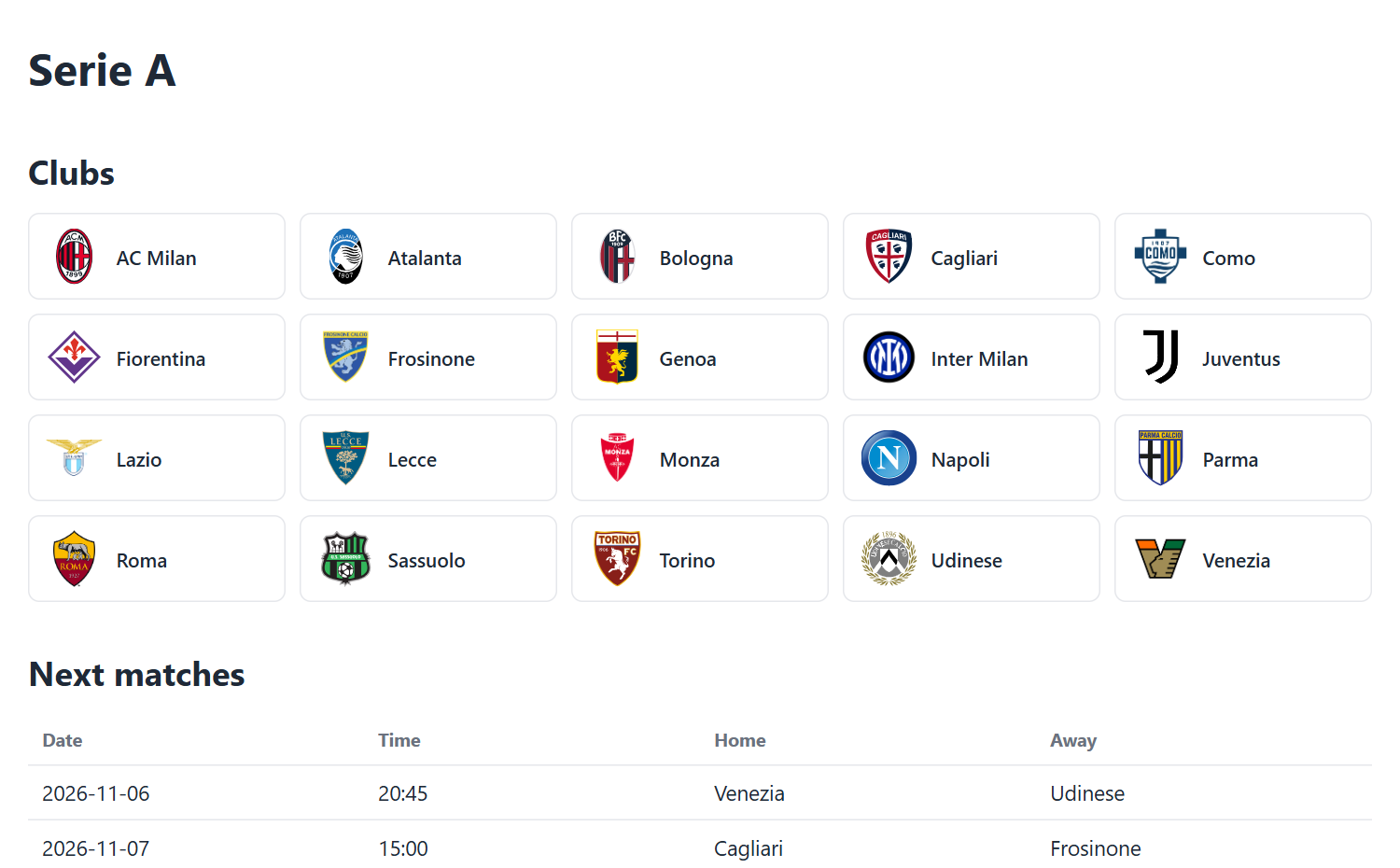
You are going to build a small PHP site for Italian Serie A with a Serie A API. It lists all the clubs, shows tables of fixtures and results, and has a squad page for each club. Then you will add three ready-made widgets: a league table, a top scorers list and a club schedule.
The API part and the widget part are independent. Use the API if you want full control over the design, or skip straight to the widgets if you want the data on your site without writing code. You can also do both.
What you need
You need PHP hosting with the curl extension and a free SportAPI key. Sign up, confirm your e-mail address and copy the key from your dashboard. The widgets need neither of these.
The complete example is available as a zip file. Add your key to api.php and upload it.
Find the Serie A league ID in the API
Call /api/leagues and pass your key in the X-API-Key header. The response groups leagues by country.
curl -H "X-API-Key: YOUR_API_KEY" https://sportapi.ai/api/leagues{
"success": true,
"data": [
{
"country": "Italy",
"geo": "IT",
"leagues": [
{ "id": 3, "name": "Italian Serie A", "format": "league", "has_standings": true, "teams_count": 20 },
{ "id": 68104, "name": "Italian Serie B", "format": "league", "has_standings": true, "teams_count": 20 },
{ "id": 30, "name": "Coppa Italia", "format": "cup", "has_standings": false, "teams_count": 44 }
]
}
]
}Italian Serie A has the ID 3. You will use it in every request below.
Write one helper for every request
Create a helper function for your API calls. It sends the key and saves each response to a cache file for 10 minutes.
<?php
// api.php: one helper that calls SportAPI and keeps each answer in a cache file
const API_KEY = 'YOUR_API_KEY';
const API_BASE = 'https://sportapi.ai/api';
const CACHE_DIR = __DIR__ . '/cache';

function api_get(string $path, int $ttl = 600): ?array
{
	if (!is_dir(CACHE_DIR)) mkdir(CACHE_DIR, 0755, true);
	$file = CACHE_DIR . '/' . md5($path) . '.json';

	if (is_file($file) && time() - filemtime($file) < $ttl) {
		return json_decode(file_get_contents($file), true);
	}

	$ch = curl_init(API_BASE . $path);
	curl_setopt_array($ch, [
		CURLOPT_RETURNTRANSFER => true,
		CURLOPT_TIMEOUT => 15,
		CURLOPT_HTTPHEADER => ['X-API-Key: ' . API_KEY],
	]);
	$body = curl_exec($ch);
	$code = curl_getinfo($ch, CURLINFO_HTTP_CODE);
	curl_close($ch);

	if ($code !== 200) {
		// Quota reached or a network problem: show the last saved copy if there is one
		return is_file($file) ? json_decode(file_get_contents($file), true) : null;
	}

	file_put_contents($file, $body);
	return json_decode($body, true);
}

function e(?string $s): string
{
	return htmlspecialchars((string)$s, ENT_QUOTES);
}
The cache matters. Without it, every page view costs requests, and the Free plan allows 2,000 requests a day and 14,000 a month. If a request fails or you reach the limit, the helper shows the last saved copy instead of an error.
Keep your API key on the server. Never call the API from JavaScript in the browser: the API does not allow calls from other sites, and every visitor would be able to see your key.
Show the list of clubs
Call /api/leagues/3. This single request returns three lists: teams, upcoming_fixtures and recent_results.
{
  "success": true,
  "id": 3,
  "name": "Italian Serie A",
  "country": "Italy",
  "teams": [
    { "id": 26, "name": "AC Milan", "logo_file": "italian-serie-a--milan.svg" }
  ],
  "upcoming_fixtures": [
    { "id": 16053387, "date": "2026-11-06", "datetime": "2026-11-06 20:45:00", "stage": "", "home_team": "Venezia", "away_team": "Udinese" }
  ],
  "recent_results": [
    { "id": 15441646, "date": "2026-11-02", "stage": "", "home_team": "Atalanta", "away_team": "Parma", "home_score": 0, "away_score": 3 }
  ]
}
Each team has an id, a name and a logo_file. The logos come from /api/teams/{id}/logo, which also needs the key. A small logo.php serves them from your own server, so the key stays hidden.
<?php
// logo.php?id=23: serves a team logo from your own server, so the API key never reaches the browser
require __DIR__ . '/api.php';

$id = (int)($_GET['id'] ?? 0);
$file = CACHE_DIR . "/logo-$id";
$type = $file . '.type';

if (!is_file($file)) {
	if (!is_dir(CACHE_DIR)) mkdir(CACHE_DIR, 0755, true);
	$ch = curl_init(API_BASE . "/teams/$id/logo");
	curl_setopt_array($ch, [
		CURLOPT_RETURNTRANSFER => true,
		CURLOPT_FOLLOWLOCATION => true,
		CURLOPT_HTTPHEADER => ['X-API-Key: ' . API_KEY],
	]);
	$img = curl_exec($ch);
	$code = curl_getinfo($ch, CURLINFO_HTTP_CODE);
	$mime = curl_getinfo($ch, CURLINFO_CONTENT_TYPE);
	curl_close($ch);
	if ($code !== 200) {
		http_response_code(404);
		exit;
	}
	file_put_contents($file, $img);
	file_put_contents($type, $mime);
}

header('Content-Type: ' . file_get_contents($type));
header('Cache-Control: public, max-age=604800');
readfile($file);
Now start index.php and loop through teams. Each club links to its squad page, which you will build in a moment.
<?php
// index.php: the Serie A home page with the clubs and the matches
require __DIR__ . '/api.php';

const SERIE_A = 3;
$league = api_get('/leagues/' . SERIE_A);
if (!$league) exit('Data is unavailable right now.');
?>
<!doctype html>
<html lang="en">
<head>
	<meta charset="utf-8">
	<meta name="viewport" content="width=device-width, initial-scale=1">
	<title>Serie A: clubs, fixtures and results</title>
	<link rel="stylesheet" href="style.css">
</head>
<body>
<h1>Serie A</h1>

<h2>Clubs</h2>
<div class="clubs">
	<?php foreach ($league['teams'] as $t): ?>
		<a class="club" href="team.php?id=<?= (int)$t['id'] ?>">
			<img src="logo.php?id=<?= (int)$t['id'] ?>" alt="" width="40" height="40" loading="lazy">
			<?= e($t['name']) ?>
		</a>
	<?php endforeach ?>
</div>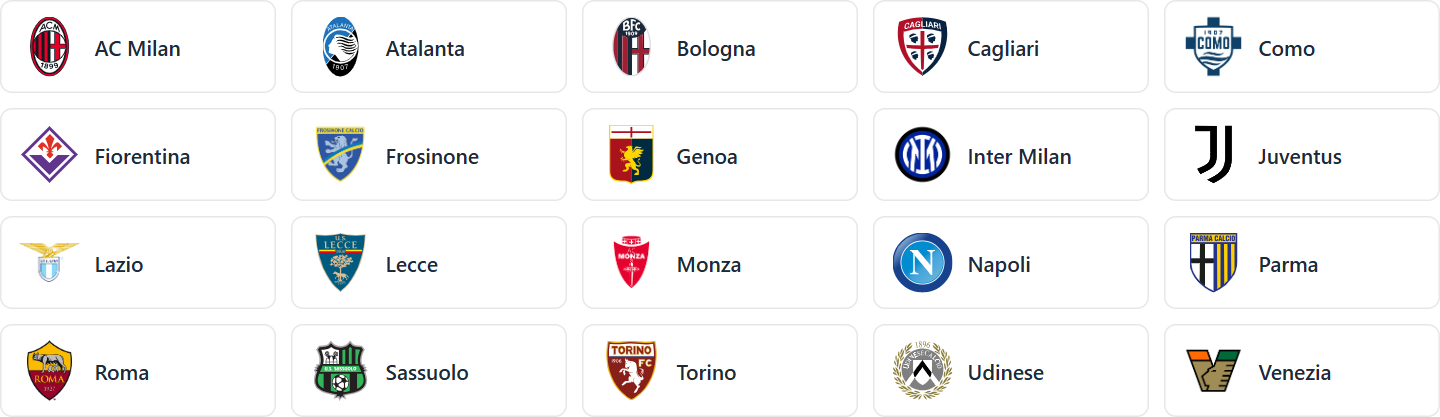
Build the table of matches
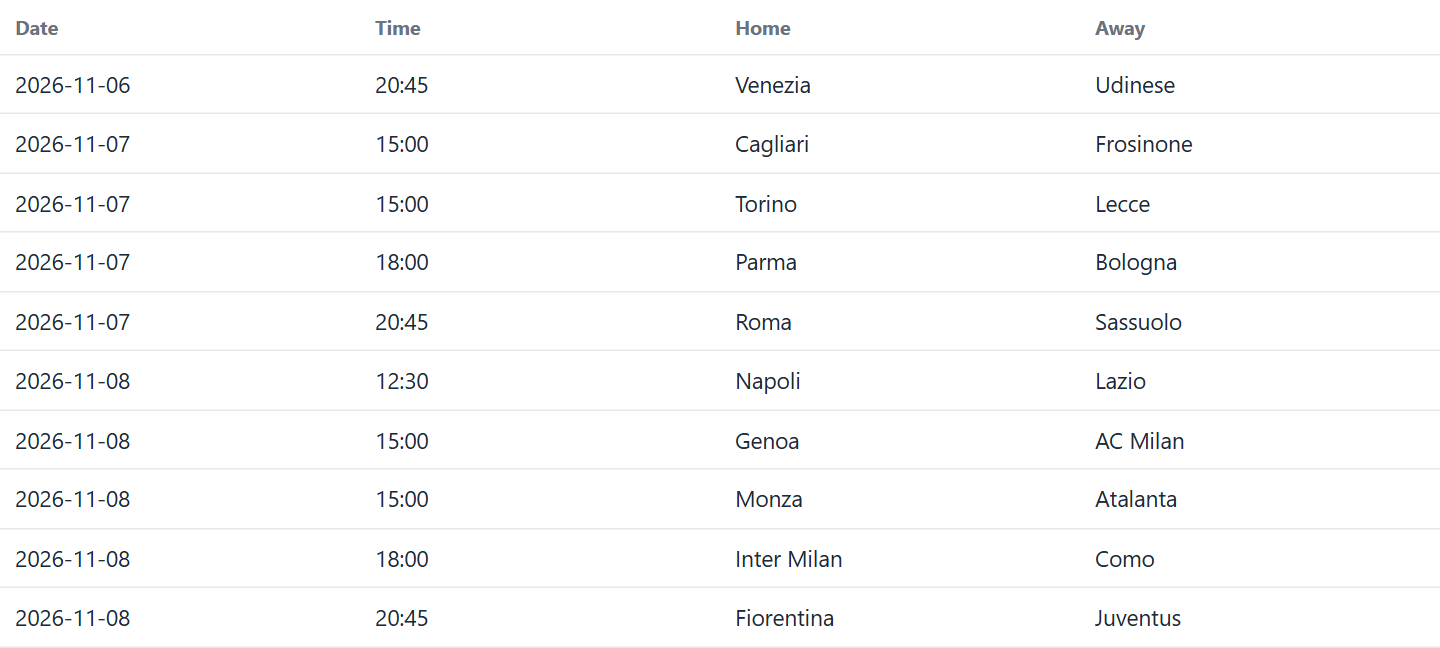
Add the matches to the same file. They use upcoming_fixtures and recent_results from the answer you already have, so this costs no extra request.
<h2>Next matches</h2>
<table>
	<tr><th>Date</th><th>Time</th><th>Home</th><th>Away</th></tr>
	<?php foreach (array_slice($league['upcoming_fixtures'], 0, 10) as $m): ?>
		<tr>
			<td><?= e($m['date']) ?></td>
			<td><?= e(substr($m['datetime'], 11, 5)) ?></td>
			<td><?= e($m['home_team']) ?></td>
			<td><?= e($m['away_team']) ?></td>
		</tr>
	<?php endforeach ?>
</table>

<h2>Latest results</h2>
<table>
	<tr><th>Date</th><th>Home</th><th class="score">Score</th><th>Away</th></tr>
	<?php foreach (array_slice($league['recent_results'], 0, 10) as $m): ?>
		<tr>
			<td><?= e($m['date']) ?></td>
			<td><?= e($m['home_team']) ?></td>
			<td class="score"><?= (int)$m['home_score'] ?> : <?= (int)$m['away_score'] ?></td>
			<td><?= e($m['away_team']) ?></td>
		</tr>
	<?php endforeach ?>
</table>
</body>
</html>
Each list holds up to 20 matches. A Serie A round has 10 matches, so the code shows the first 10.
The datetime field is in Central European time. If your site needs UTC, /api/fixtures/{id} has a kickoff_utc field.
Add a squad page for each club
Each club link passes the team ID, for example 23 for Juventus. This page needs two requests: /api/teams/23 for the club details and /api/teams/23/squad for the players.
{
  "success": true,
  "squad": [
    {
      "id": 29144,
      "full_name": "Kamil Grabara",
      "position": "Goalkeeper",
      "jersey_number": 1,
      "nationality": "PL",
      "date_of_birth": "1999-01-08"
    }
  ]
}
The code below groups the players by position. The nationality field can be empty for some players, so don't rely on it being there.
<?php
// team.php?id=23: one club with its squad, grouped by position
require __DIR__ . '/api.php';
$id = (int)($_GET['id'] ?? 0);
$team = api_get("/teams/$id")['team'] ?? null;
if (!$team) {
http_response_code(404);
exit('Team not found.');
}
$byPosition = [];
foreach (api_get("/teams/$id/squad")['squad'] ?? [] as $p) {
$byPosition[$p['position'] ?: 'Other'][] = $p;
}
?>
<!doctype html>
<html lang="en">
<head>
<meta charset="utf-8">
<meta name="viewport" content="width=device-width, initial-scale=1">
<title><?= e($team['name']) ?>: squad</title>
<link rel="stylesheet" href="style.css">
</head>
<body>
<p><a href="index.php">← All clubs</a></p>
<h1><img src="logo.php?id=<?= $id ?>" alt="" width="48" height="48"> <?= e($team['name']) ?></h1>
<p><?= e($team['stadium_name']) ?>, <?= e($team['city']) ?>. Coach: <?= e($team['coach_name']) ?>.</p>
<h2>Squad</h2>
<?php foreach ($byPosition as $position => $players): ?>
<h3><?= e($position) ?></h3>
<table>
<tr><th class="num">No.</th><th>Player</th><th>Country</th></tr>
<?php foreach ($players as $p): ?>
<tr>
<td class="num"><?= e((string)$p['jersey_number']) ?></td>
<td><?= e($p['full_name']) ?></td>
<td><?= e($p['nationality']) ?></td>
</tr>
<?php endforeach ?>
</table>
<?php endforeach ?>
</body>
</html>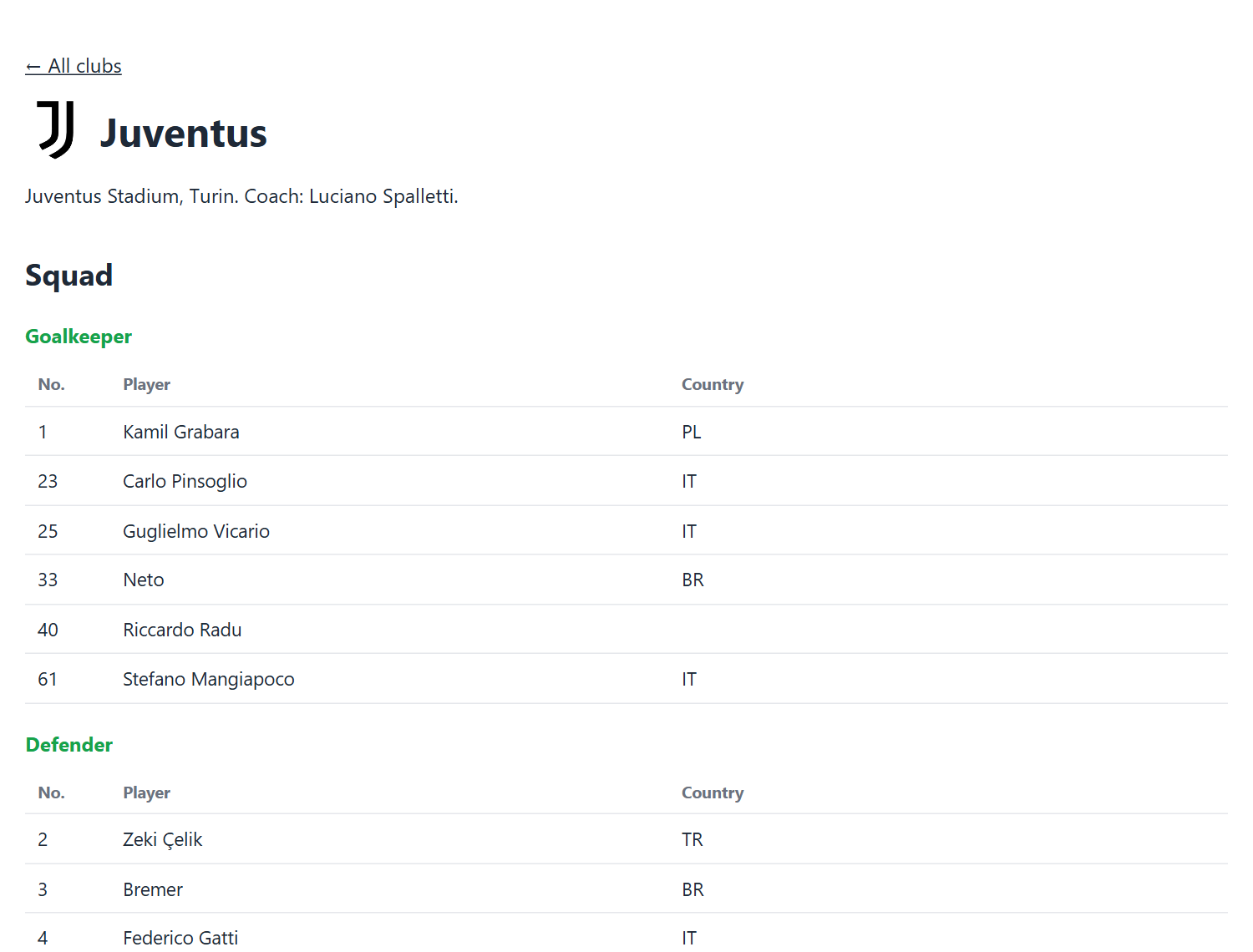
Add widgets without writing any code
Widgets are free and need no API key or sign-up.
Open the widget builder. Choose the widget type and the league or team, pick a theme and an accent colour, check the preview and copy the embed code. Paste it where the widget should appear.
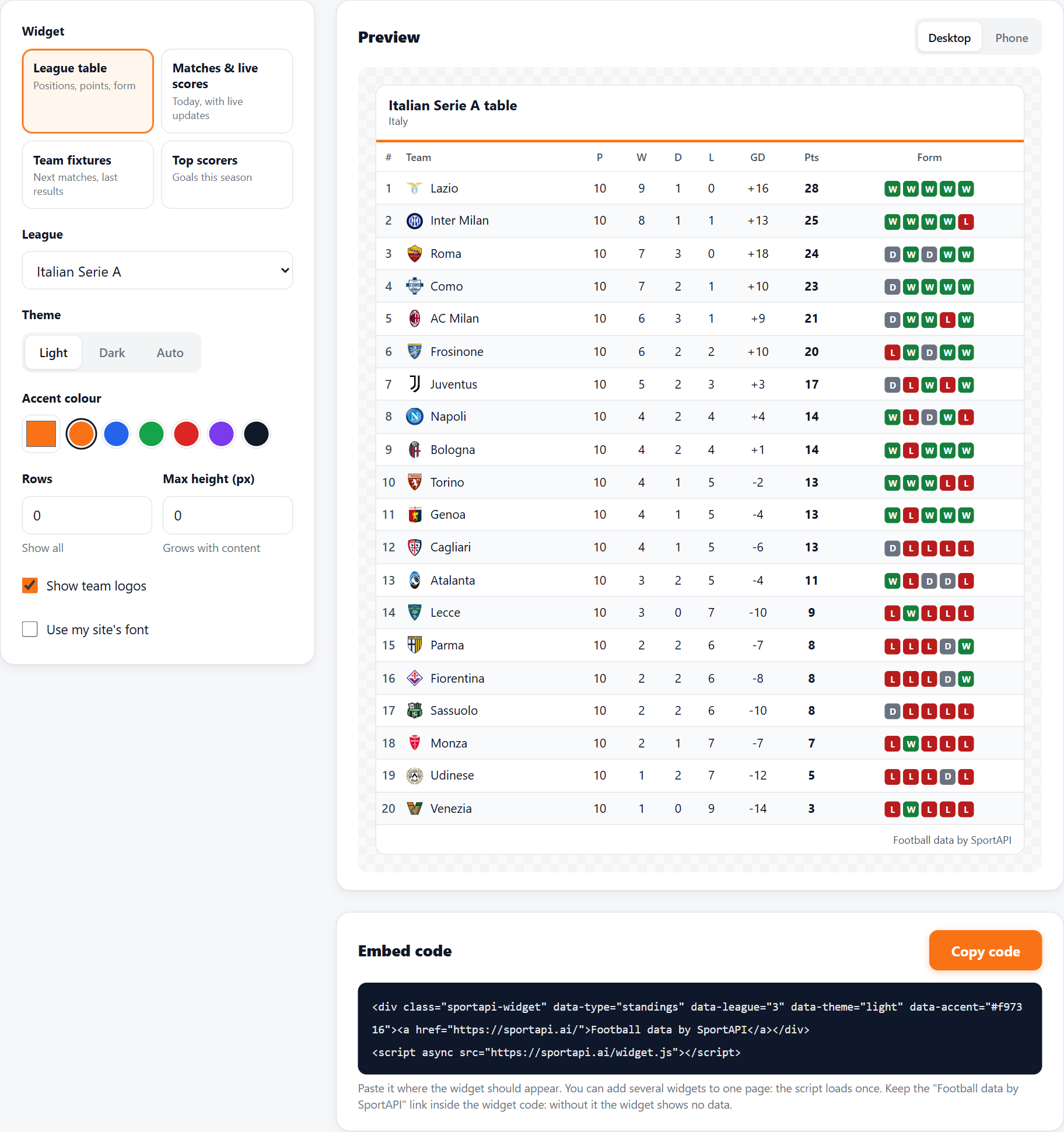
You need the script tag only once per page, even with several widgets. Keep the "Football data by SportAPI" link in the code: without it, the widget shows no data.
League table widget
Use data-type="standings" and data-league="3". The widget shows position, played, won, drawn, lost, goal difference, points and form. It adapts to the width of its column: below 560 pixels it hides form, and below 420 pixels it also hides won, drawn and lost.
<div class="sportapi-widget" data-type="standings" data-league="3" data-theme="light" data-accent="#16a34a"><a href="https://sportapi.ai/">Football data by SportAPI</a></div>
<script async src="https://sportapi.ai/widget.js"></script>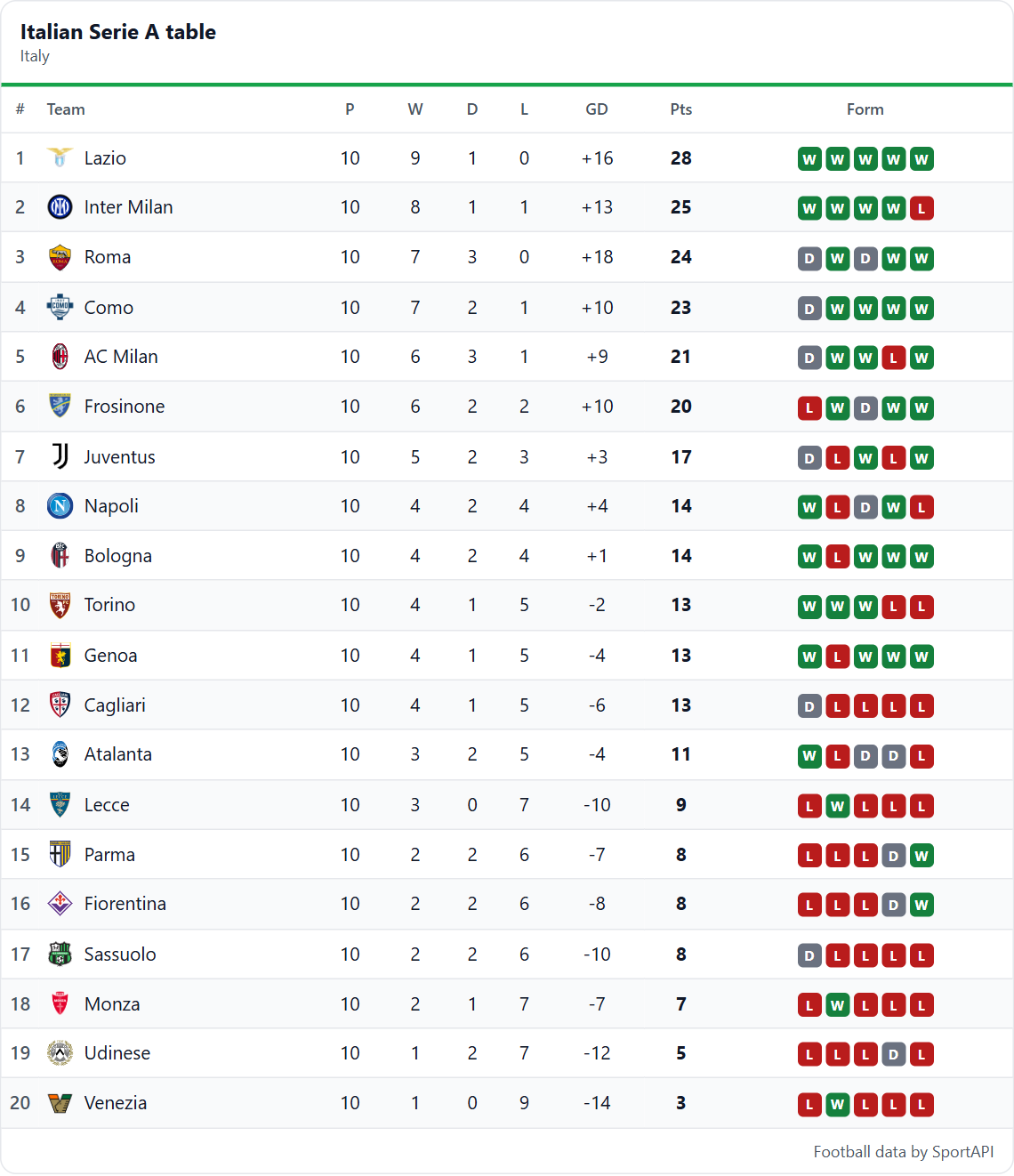
Top scorers widget
Use data-type="scorers" and data-league="3". data-rows sets how many players to show.
<div class="sportapi-widget" data-type="scorers" data-league="3" data-rows="10" data-theme="light" data-accent="#16a34a"><a href="https://sportapi.ai/">Football data by SportAPI</a></div>
<script async src="https://sportapi.ai/widget.js"></script>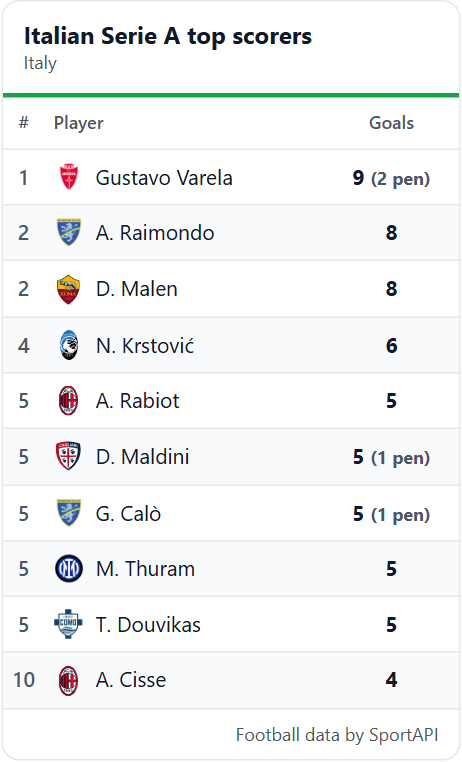
Club schedule widget
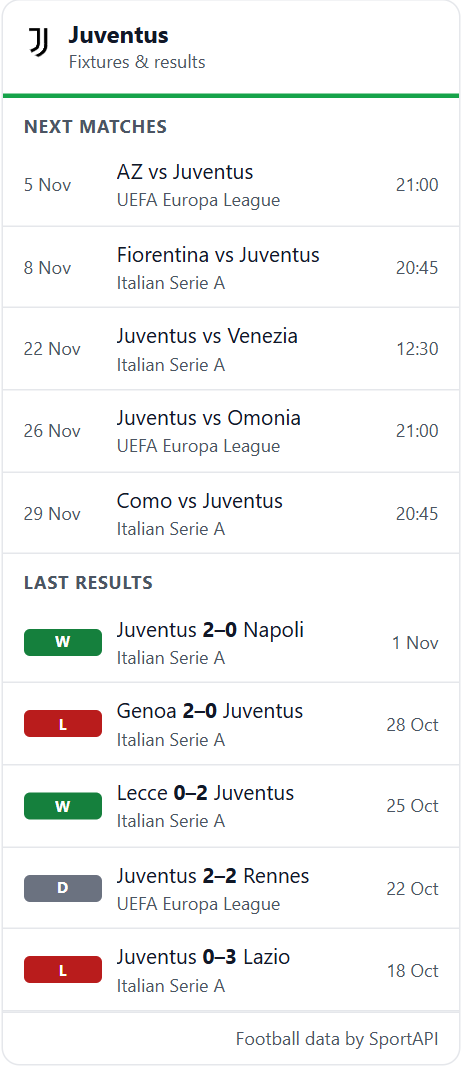
Use data-type="team" and set data-team to the club ID, such as 23 for Juventus. You don't need a league ID here. In the builder, choose "Team fixtures", then the league, then the club.
<div class="sportapi-widget" data-type="team" data-team="23" data-rows="5" data-theme="light" data-accent="#16a34a"><a href="https://sportapi.ai/">Football data by SportAPI</a></div>
<script async src="https://sportapi.ai/widget.js"></script>
The widget shows the next matches and the last results in all competitions, including European games. data-rows sets how many matches to show in each list.
Change how a widget looks
Add these attributes to the widget's div:
data-theme:light,darkorautodata-accent: a hex colour, such as#16a34adata-rows: the number of rows to showdata-height: a maximum height in pixels; the widget scrolls inside itdata-logos="false": hides the logosdata-font="inherit": uses the font of your site
Where to go next
If you prefer your own design for the table and the scorers, /api/standings/3 and /api/leagues/3/topscorers return them as JSON. The API documentation lists every endpoint.
The same code works for other competitions in our coverage. Change the league ID to 68104 for Serie B. Cups such as Coppa Italia (ID 30) have fixtures but no league table.
If your site outgrows the Free plan, Starter gives you 10,000 requests a day for $10 a month. See pricing for the other plans.